
Data Projector in Australian Sign Language (Auslan)

The sign for “data projector” in Auslan is used to refer to the device that displays visual information from a computer onto a screen or wall. This sign is commonly used in educational settings, meetings, or presentations when discussing technology or visual aids.
Table of Contents
How to Sign “Data Projector”
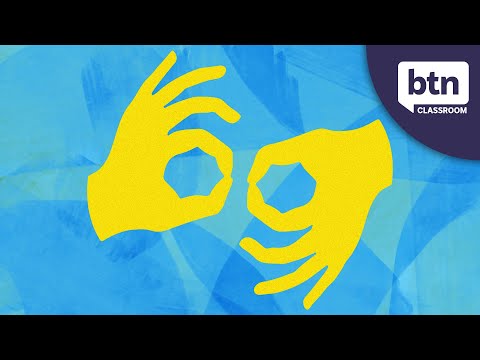
- Start by holding your dominant hand in a flat shape, with your palm facing down.
- Position your hand at approximately waist height, a little in front of you.
- Make a small forward motion with your hand, as if projecting something onto a wall.
- While you move your hand, express enthusiasm or clarity on your face, indicating the importance of the projector in your context.
Common Mistakes
- Forgetting to use the appropriate facial expressions, which can affect the clarity of the sign.
- Making the hand movement too large or exaggerated, which can distract from the meaning.
- Not maintaining the correct hand shape throughout the sign, leading to confusion with other signs.
Related Signs
- 1 – The sign for the number one.
- 10 – The sign for the number ten.
- 11 – The sign for the number eleven.
- 12 – The sign for the number twelve.
- 13 – The sign for the number thirteen.
Using “Data Projector” in Everyday Conversations
The sign “Data Projector” often comes up in educational and professional settings. Here are a few examples of how to incorporate it into everyday conversations:
- Example 1: “I will use the data projector for my presentation tomorrow.”
(SIGN: “I data projector use presentation tomorrow.”) - Example 2: “Can you set up the data projector before the meeting starts?”
(SIGN: “You data projector set up before meeting starts?”) - Example 3: “The teacher used a data projector to show the slides.”
(SIGN: “Teacher data projector use show slides.”)
These situations often arise in classrooms, meetings, or workshops where visual aids enhance communication and understanding.
Cultural Notes
In the Australian Deaf community, the use of technology in education and communication is highly valued. The sign for “Data Projector” reflects a culture that embraces accessibility and innovation. Many Deaf individuals rely on visual tools, like data projectors, to engage with information effectively.
There may be slight variations in the sign’s execution between northern and southern dialects of Auslan, although the core meaning remains the same. It’s beneficial to be aware of these regional differences when interacting with different Deaf communities across Australia.
Tips for Learning This Sign
Mastering the sign for “Data Projector” can be made easier with a few practical tips:
- Mirror Practice: Stand in front of a mirror while practicing the sign. This allows you to check your movements and ensure they match the proper formation.
- Watch for Non-Manual Features: Pay attention to facial expressions and body language that accompany the sign. These non-manual features can enhance the meaning and context of your signing.
- Use in Short Sentences: Incorporate the sign into short, simple sentences during your practice. This will help reinforce your memory and improve your fluency.
By consistently using these strategies, you can build confidence and enhance your Auslan skills effectively.
Frequently Asked Questions
Can you use “data projector” in a sentence?
Yes! For example: “We will use the data projector for our presentation today.”
Are there regional variations of this sign?
Yes, some regions may have slight variations in handshape or movement. It’s helpful to learn from local Deaf communities.
What are some similar signs to “data projector”?
Signs like “computer,” “screen,” or “presentation” share similar contexts and can be useful to know.
How does this sign compare to BSL?
While the BSL sign for “data projector” may differ, it’s always beneficial to learn the local signs when communicating with Deaf individuals from different regions.
What teaching tips can help with learning this sign?
Practice in front of a mirror to ensure proper hand shape and movement, and ask for feedback from fluent signers.
Practice This Sign
Try signing Data Projector In Auslan with your camera and get AI coaching on your handshape, movement, and location.
Free · No signup required