
Click (computer Mouse Button) in New Zealand Sign Language (NZSL)
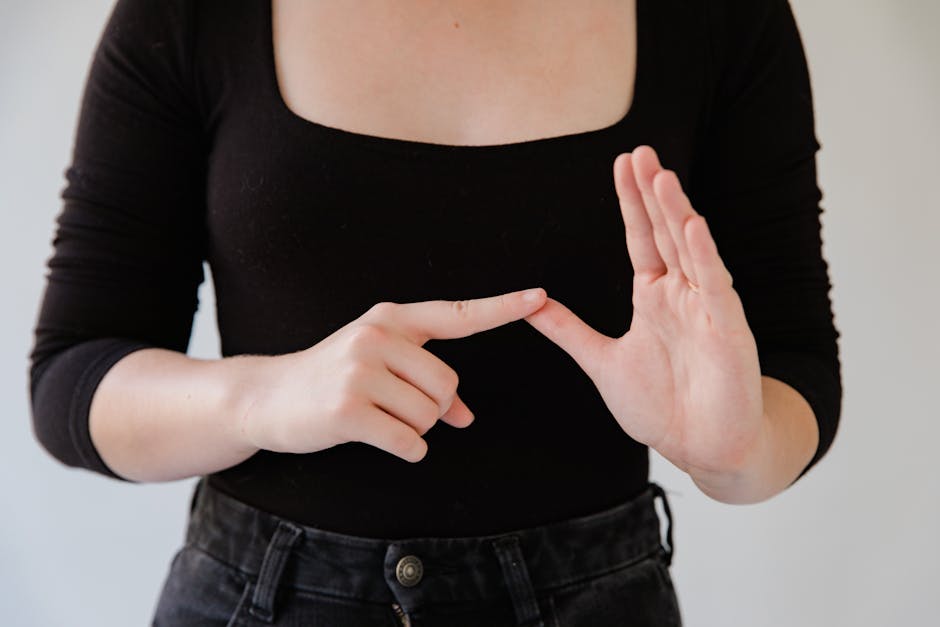
The sign for “click” in NZSL refers specifically to the action of pressing a computer mouse button. This sign is commonly used in discussions about technology, computer skills, and digital communication within the Deaf community. It reflects the integration of modern technology into everyday life and is essential for navigating digital environments.
Table of Contents
How to Sign “Click (Computer Mouse Button)” in NZSL
- Start with your dominant hand in a flat “5” hand shape, fingers extended and together.
- Position your hand above a flat surface, mimicking the placement of a computer mouse.
- Quickly tap your dominant hand downwards, as if pressing the mouse button.
- Facial expressions should convey focus or intent, as if you are actively engaged in clicking.
Common Mistakes
- Using a fist instead of a flat hand, which can change the meaning of the sign.
- Making the tapping motion too slow or exaggerated, which can confuse the sign with other actions.
- Neglecting facial expressions, which are important for conveying the sign’s context and intent.
NZSL vs ASL
In NZSL, the sign for “click” uses a flat hand shape and a downward movement, similar to the action of pressing a button. In contrast, ASL may use a different hand shape and motion, reflecting the unique characteristics and influences of each sign language. While both signs serve the same purpose, their execution varies based on the language’s structure and cultural context.
Related Signs
- (All Of) You – A way to refer to a group.
- (Baby’s) Dummy – Refers to a child’s pacifier.
- (Be) Careful – A sign indicating caution.
- (Be) Passive – Expressing passivity or inaction.
Frequently Asked Questions
How can I use “click” in a sentence in NZSL?
You might say, “I need to click to open the file.” Sign the action followed by the relevant context.
Are there regional variations of this sign in New Zealand?
The sign is generally consistent across New Zealand, but slight variations may exist based on local dialects within the Deaf community.
What is a similar sign to “click”?
The sign for “press” can be a related action, often used in contexts involving buttons or switches.
What tips can help me learn this sign more effectively?
Practice in front of a mirror to ensure you’re using the correct hand shape and movement, and seek feedback from fluent NZSL users.
Can I use this sign when talking about other types of technology?
Yes, “click” can be used in various tech-related discussions, especially when referring to actions on computers or devices.
Does facial expression matter when signing “click”?
Absolutely! Your facial expressions should reflect the intent of the action, adding clarity to your communication.
Practice This Sign
Try signing Click (Computer Mouse Button) with your camera and get AI coaching on your handshape, movement, and location.
Free · No signup required