
Tablet in Australian Sign Language (Auslan)
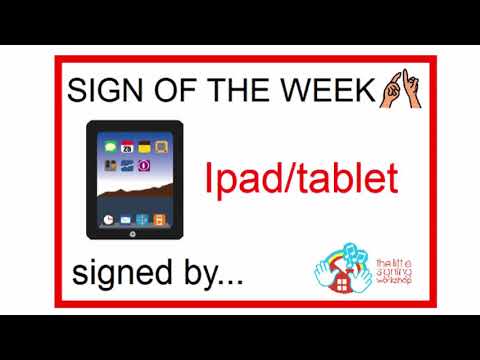
The sign for “tablet” in Auslan refers to a portable touch-screen device often used for reading, browsing the internet, or watching videos. This sign is commonly used in conversations about technology, education, or leisure activities involving tablets.
Table of Contents
How to Sign “Tablet”
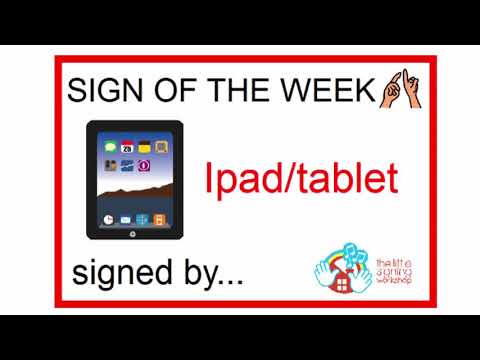
- Start with your dominant hand in a flat “B” handshape (palm facing down). Your fingers should be together and extended.
- Position your hand in front of your body, about chest height.
- Move your hand slightly forward and back, as if you are holding a tablet and gently tapping on the screen.
- Maintain a neutral facial expression, or add a slight smile to convey a casual tone.
Common Mistakes
- Forgetting to keep the hand flat, which can change the meaning of the sign.
- Moving the hand too quickly, making it hard for others to understand the sign.
- Using an incorrect handshape, such as a fist, which does not represent a tablet.
Related Signs
- 1 – The sign for the number one, often used in counting.
- 10 – The sign for the number ten, useful in many contexts.
- 100 – The sign for one hundred, commonly used in discussions about money or quantities.
- 1 Dollar – The sign used when talking about currency.
Using “Tablet” in Everyday Conversations
Incorporating the sign for “Tablet” into your daily conversations can make discussions about technology more engaging. Here are a few example sentences where this sign naturally fits:
- “I read my emails on my tablet.” (SIGN: I EMAIL READ TABLET)
- “Do you have a tablet for school?” (SIGN: YOU SCHOOL TABLET HAVE?)
- “I downloaded a new app on my tablet.” (SIGN: I NEW APP DOWNLOAD TABLET)
These examples illustrate how “Tablet” can be used in various contexts, such as discussing education, personal devices, or technology-related topics, making it a useful sign in everyday interactions.
Cultural Notes
In the Australian Deaf community, the sign for “Tablet” is not just a technical term; it reflects the growing integration of technology in Deaf lives. Tablets provide access to communication, education, and entertainment, which are crucial for many in the community. While the sign itself is widely understood across Australia, some regional dialect variations may exist. For instance, in more urban areas, you might find a slight variation in how emphatically the sign is made, reflecting the local signing style. Being aware of these nuances can enhance your communication with Deaf individuals from different regions.
Tips for Learning This Sign
To effectively learn and remember the sign for “Tablet,” consider these practical tips:
- Mirror Practice: Use a mirror to observe your handshape and movement as you sign “Tablet.” This can help you refine your technique.
- Watch for Non-Manual Features: Pay attention to facial expressions and body language while signing. These elements add meaning and context to your signs.
- Use in Short Sentences: Practice signing “Tablet” in simple, everyday sentences. This will help reinforce your memory and make the sign feel more natural in conversation.
- Engage with the Community: Attend Deaf events or join signing groups to practice with others. Real-life practice helps solidify your learning and confidence.
By incorporating these methods into your learning routine, you’ll find it easier to remember and use the sign for “Tablet” effectively.
Frequently Asked Questions
How can I use “tablet” in a sentence?
You can say, “I love my tablet for reading books,” by combining the sign for “I,” “love,” and “tablet.”
Are there regional variations for the sign “tablet”?
Yes, variations may exist depending on the region. It’s always good to learn from local Deaf community members.
What are some similar signs to “tablet”?
Signs like “phone” or “computer” have a similar context, focusing on technology and devices.
How does this sign compare to BSL?
In BSL, the sign for “tablet” may look different; it’s beneficial to learn both signs if you interact with BSL users.
Any tips for teaching this sign effectively?
Use visual aids like pictures of tablets and encourage students to practice in pairs to reinforce learning.
Practice This Sign
Try signing Tablet In Auslan with your camera and get AI coaching on your handshape, movement, and location.
Free · No signup required