
Computer in Sign Language (ASL)
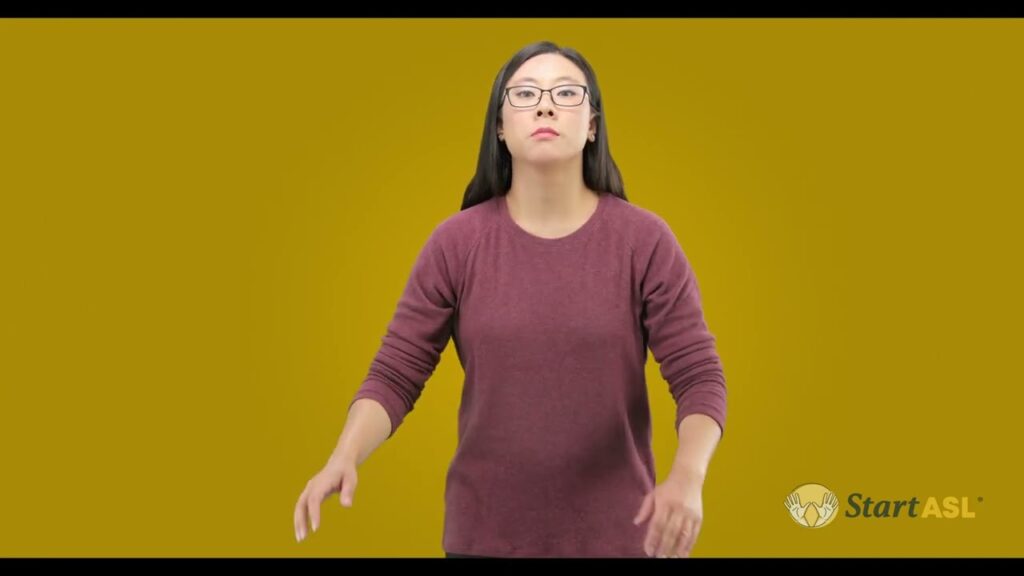
The sign for Computer represents the device used for a variety of tasks including browsing the internet, creating documents, and programming. This sign is commonly used in conversations about technology, work, and education, reflecting its importance in everyday life.
[VIDEO_PLACEHOLDER]
Table of Contents
Forming the sign
- Handshape: Begin with your dominant hand in a flat ‘B’ handshape (palm down). The fingers should be extended straight together, while the thumb is extended out to the side.
- Location: Position your hand near the center of your body, typically around chest height.
- Movement: Move your hand slightly forward and back in a subtle rocking motion, mimicking the action of typing on a computer keyboard.
- Non-manual signals: Maintain a neutral facial expression. You can also raise your eyebrows slightly during the movement to emphasize the action.
The sign effectively conveys the concept of a computer through its handshape and movement, embodying the physical interaction users have with the device.
Using “Computer” in sentences
When discussing technology, you might say, “I use my Computer for work.” This sentence highlights the function of the computer in your professional life. Another example could be, “My Computer is very slow,” which expresses a common frustration among users. The sign can also be used in various contexts, such as asking, “Do you have a Computer at home?” to discuss personal technology in casual conversation.
Signs related to “Computer”
To deepen your understanding of technology in ASL, consider these related signs:
- Internet – The global system of interconnected computer networks.
- Email – The method of exchanging digital messages.
- Software – Programs and operating information used by a computer.
- Hardware – The physical components of a computer system.
- Technology – The application of scientific knowledge for practical purposes.
Common confusion with a similar sign
Many learners confuse the sign for Computer with the sign for “Laptop.” While both signs involve a similar handshape, the movement and location differ. The Laptop sign typically involves a more open hand and a larger motion, simulating the action of opening a laptop. Being mindful of these differences can help improve clarity in communication.
FAQ
What does the sign for Computer look like?
The sign features a flat ‘B’ handshape, with a subtle forward and back rocking motion near the center of your chest.
Can I use the sign for Computer to refer to other devices?
While the sign specifically represents a computer, you can adapt the contextual meaning when discussing similar devices, like tablets or laptops.
Is there a specific context where the sign for Computer is used more frequently?
This sign is often used in discussions related to work, education, and technology, reflecting its prevalence in modern life.
Are there regional variations of the sign for Computer?
Yes, variations may exist based on regional dialects or community preferences, but the core elements of the sign generally remain consistent.
Practice ASL Signs
Use your camera to practice signs and get real-time AI feedback on your technique.
Free · No signup required